Speed-Limit Assist
Speed-Limit Assist reads the speed limit from downloaded maps or, on a Mazda, the car's own sign data. It can show the limit, warn you, or move your cruise speed to match it.
choose a mode
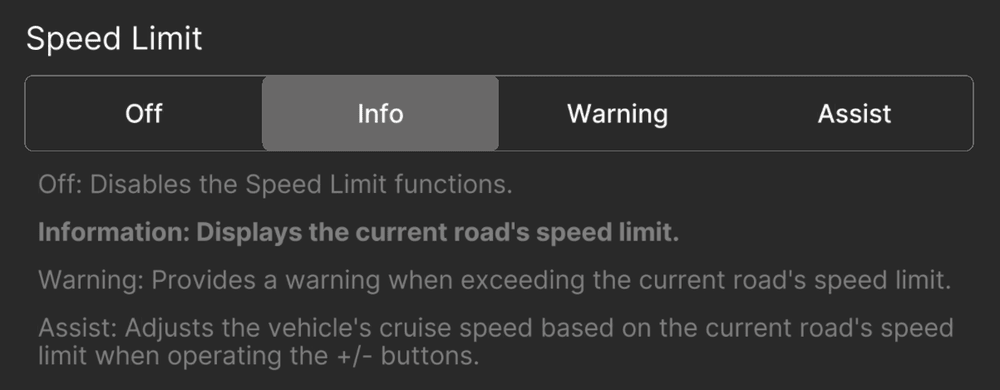
While parked, open Settings → Cruise → Speed Limit.
| Mode | Behaviour |
|---|---|
| Off | No speed-limit assistance. |
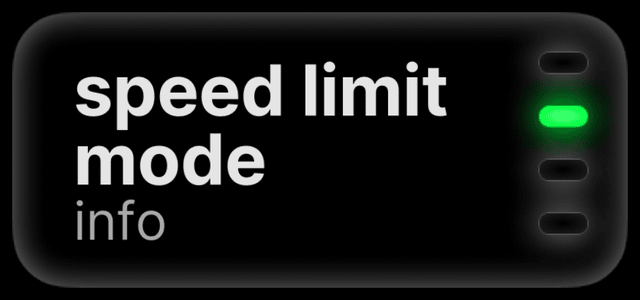
| Info (default) | Shows the limit without changing your cruise speed. |
| Warn | Warns when you exceed the detected limit. |
| Assist | Asks to move your cruise speed to a new limit. |
Only the comma 3X shows the Info and Warn sign display. Assist prompts appear on both.
choose a source
The source and offset are next to the mode (comma 3X: source under Customize Source).
- Car: on a supported Mazda, the car's speed-limit signs. Needs a navigation SD card.
- Map: maps for your region, downloaded through sunnylink.
- Car-first or map-first: uses the other source when the preferred one has no limit. Map-first is the default.
- Combined: uses the lower limit when both have one.
An offset adds a fixed amount or a percentage to the limit. Start with none.
when a limit changes
In Assist, the sign shows an arrow and a chime plays. Press the button the arrow shows to accept, or the other button to dismiss. Your cruise speed does not change until you answer. At 50 mph (80 km/h) and above, a new limit of 50 mph or more applies without a prompt.
Signs and map data can be missing, outdated or wrong. Follow the posted limit.
cruise-button control
On the car's own cruise, zoompilot moves the dashboard set speed by sending the + and − presses your thumb would (ICBM).
- No switch. It starts when a feature needs it: Slow for Curves (on the car's own cruise), Speed-Limit Assist on Assist, or custom increments. It starts or stops only while you are disengaged. To stop it, turn off those features.
- Your set speed is kept. zoompilot returns the dashboard to the speed you chose after a curve or limit adjustment.
- Your presses win. Press + or − yourself and that becomes your new set speed.
Custom increments set how far a press moves the set speed: Settings → Cruise → custom increments (comma 3X: Custom ACC Speed Increments). Choose the step for a short press and for a held press.